Apollo Group TV Payment Methods in 2025: How to Subscribe, Pay Safely, and Avoid Issues
Direct Answer: What Payment Methods Does Apollo Group TV Accept?
Apollo Group TV payment methods in 2025 include major credit cards (Visa, Mastercard, American Express, Discover), debit cards, cryptocurrency (Bitcoin, Ethereum, USDT), and digital payment platforms through authorized resellers. The most reliable Apollo Group TV safe payment options are credit cards from major issuers and cryptocurrency, as these process with fewer declines than prepaid cards or certain digital wallets. Payment processing occurs through third-party gateways that may appear under different business names on your bank statement. For maximum security and consumer protection, credit card payments offer the best combination of convenience and dispute resolution capabilities if service issues arise.
Understanding which payment method works best for your situation—and how to process payments correctly—ensures smooth subscription activation and helps you avoid common billing problems.
Table of Contents
- Understanding Apollo Group TV Payment Structure
- Complete List of Apollo Group TV Payment Options
- Apollo Group TV Credit Card Payment: Best Practices
- Apollo Group TV PayPal Payment: Availability and Process
- Cryptocurrency Payments for Apollo Group TV
- How to Pay for Apollo Group TV Subscription: Step-by-Step Guide
- Apollo Group TV Safe Payment Options: Security Analysis
- Apollo Group TV Billing Methods: What Appears on Statements
- Comparing Payment Methods: Pros and Cons
- Secure Payment Methods Apollo Group TV: Protection Tips
- Apollo Group TV Refund Policy for Different Payment Types
- Troubleshooting Apollo Group TV Payment Problems
- Payment Red Flags and Scams to Avoid
- Expert Tips for Smooth Payment Processing
- Common Payment Mistakes and How to Avoid Them
- Frequently Asked Questions
<h2 id=”payment-structure”>Understanding Apollo Group TV Payment Structure</h2>
Before exploring specific Apollo Group TV payment methods, understanding how the payment system works helps you make informed decisions.
Why Apollo Group TV Uses Third-Party Payment Processors
Apollo Group TV doesn’t process payments directly through traditional merchant accounts. Instead, the service routes transactions through specialized payment gateways designed for high-risk or international merchants.
This arrangement exists because:
Payment Processor Restrictions: Major payment processors classify IPTV services as high-risk merchants due to content licensing questions and elevated chargeback rates.
International Operations: Apollo Group TV operates across multiple jurisdictions, requiring payment solutions that handle international transactions efficiently.
Regulatory Considerations: Third-party processors provide additional separation between the service and financial institutions.
How Payment Processing Actually Works

When you subscribe to Apollo Group TV:
- You enter payment information on Apollo Group TV’s website or a reseller portal
- Data transmits securely to the payment gateway
- The gateway communicates with your bank or payment provider
- Upon approval, funds transfer to the payment processor
- Apollo Group TV receives notification and activates your subscription
- You receive confirmation and access credentials via email
This multi-step process typically completes within minutes but can occasionally experience delays.
What Names Appear on Your Bank Statement
Apollo Group TV subscription payment rarely appears under “Apollo Group TV” on your statement. Instead, you’ll see the payment processor’s business name, which might be completely unrelated to IPTV services.
Common statement descriptors include generic business names, abbreviations, or company names associated with the payment gateway. This is normal for services using third-party processors and doesn’t indicate fraud.
Save your payment confirmation email so you can match charges to the correct service.
<h2 id=”payment-options-list”>Complete List of Apollo Group TV Payment Options</h2>
Apollo Group TV offers multiple payment methods depending on whether you purchase directly or through authorized resellers.
Major Credit Cards
Accepted Cards:
- Visa
- Mastercard
- American Express
- Discover
Credit cards represent the most popular Apollo Group TV payment option because they combine convenience with consumer protection through chargeback capabilities.
Debit Cards
Most debit cards bearing Visa or Mastercard logos work for Apollo Group TV payments. However, debit cards offer less consumer protection than credit cards and directly withdraw funds from your bank account.
Cryptocurrency
Supported Cryptocurrencies:
- Bitcoin (BTC)
- Ethereum (ETH)
- Tether (USDT)
- Other major cryptocurrencies depending on reseller
Cryptocurrency payments have become increasingly popular for IPTV subscriptions due to enhanced privacy and no bank interference.
Digital Payment Platforms
Availability varies by reseller, but some accept:
- PayPal (limited availability)
- Cash App
- Venmo
- Other regional payment apps
Digital platforms provide an intermediary layer between your bank and Apollo Group TV’s payment processor.
Prepaid Cards
Prepaid cards with major network logos sometimes work, though acceptance rates are lower. Gift cards typically face restrictions on subscription services.
Bank Transfers and Wire Transfers
Some resellers accept direct bank transfers, though this method is less common and offers minimal consumer protection.
<h2 id=”credit-card-payment”>Apollo Group TV Credit Card Payment: Best Practices</h2>
Credit cards remain the preferred payment method for most Apollo Group TV subscribers due to their balance of convenience and security.
Why Credit Cards Work Best
Consumer Protection: Credit card companies provide robust dispute resolution if service issues arise or charges are unauthorized.
Fraud Liability Limits: Federal law limits your liability for fraudulent credit card charges to $50, and most issuers waive even that amount.
Chargeback Rights: You can dispute charges for non-delivered services or misrepresented products through your card issuer.
Building Transaction History: Successful payments create positive merchant history, reducing future fraud flags.
Step-by-Step Credit Card Payment Process
Step 1: Prepare Your Information
Have ready:
- Your credit card number
- Expiration date
- CVV security code (3-4 digits)
- Billing address exactly as it appears on card statements
- Valid email address for confirmation
Step 2: Navigate to Payment Page
Access Apollo Group TV’s official website or authorized reseller portal. Verify the URL is correct to avoid phishing sites.
Step 3: Select Subscription Package
Choose your desired subscription tier:
- Monthly subscription
- Quarterly (3-month) subscription
- Semi-annual (6-month) subscription
- Annual (12-month) subscription
Longer-term subscriptions typically offer per-month savings.
Step 4: Enter Payment Details Carefully
Type all information accurately:
- Double-check card numbers for transposed digits
- Verify expiration date matches your physical card
- Enter CVV code from the back of your card
- Use billing address exactly as your bank has it on file
Step 5: Disable VPNs and Proxies
Turn off any VPN, proxy, or location-masking services before submitting payment. These create location mismatches that trigger fraud detection systems.
Step 6: Submit Payment Once
Click the payment button only once. Multiple clicks can create duplicate transactions. If the page seems slow to load, wait patiently rather than clicking again.
Step 7: Save Confirmation
Screenshot or save the confirmation page showing your successful payment and transaction ID. Save the confirmation email that should arrive within minutes.
Choosing the Right Credit Card
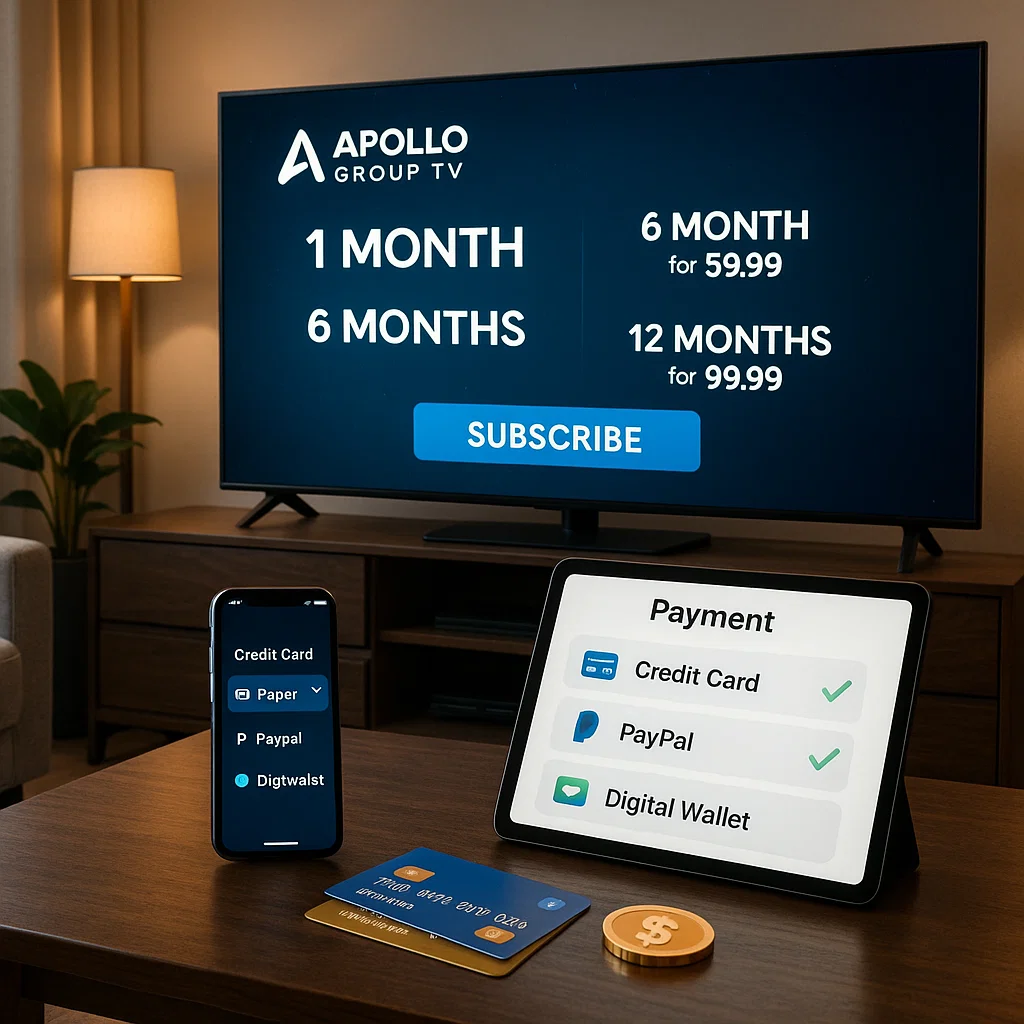
Consider these factors when selecting which card to use:
Primary vs. Dedicated Card: Some users prefer a dedicated credit card for IPTV and similar services, making tracking easier and limiting exposure if card information is compromised.
Credit Limit Considerations: Ensure adequate available credit for the subscription amount plus a buffer for other purchases.
International Transaction Fees: Some cards charge foreign transaction fees if Apollo Group TV’s processor operates internationally. Check your card’s fee schedule.
Rewards and Benefits: If your card offers cash back or points, IPTV subscriptions count as regular purchases earning rewards.
<h2 id=”paypal-payment”>Apollo Group TV PayPal Payment: Availability and Process</h2>
Many users wonder about Apollo Group TV PayPal payment options, as PayPal provides familiar, trusted payment processing.
PayPal Availability Limitations
PayPal acceptance for Apollo Group TV is limited and inconsistent. Most direct purchases through Apollo Group TV’s official channels don’t offer PayPal as a payment option because:
PayPal’s Acceptable Use Policy: PayPal restricts certain IPTV services under their terms of service, particularly those operating in legally gray areas.
Chargeback Concerns: High chargeback rates make PayPal hesitant to process payments for IPTV services.
Merchant Account Difficulty: IPTV providers often can’t maintain PayPal merchant accounts due to business category restrictions.
Finding PayPal-Accepting Resellers
Some authorized Apollo Group TV resellers do accept PayPal payments. If PayPal is your preferred payment method:
- Search for “Apollo Group TV PayPal reseller” in trusted IPTV communities
- Verify the reseller’s reputation through independent reviews
- Confirm they’re authorized Apollo Group TV distributors
- Understand that pricing and terms may differ from direct purchases
PayPal Payment Process When Available
If you find a reseller accepting PayPal:
Add your subscription to cart on the reseller’s website
Select PayPal as your payment method at checkout
Click the PayPal payment button to redirect to PayPal’s secure site
Log into your PayPal account
Review the payment amount and merchant information
Confirm the payment
You’ll redirect back to the reseller’s confirmation page
Check email for both PayPal payment confirmation and Apollo Group TV subscription credentials
PayPal Payment Advantages
When available, PayPal offers:
- No need to share credit card information with merchants
- Strong buyer protection policies
- Easy transaction tracking through PayPal dashboard
- Instant payment processing
- Ability to link multiple payment sources
PayPal Payment Disadvantages
Consider these drawbacks:
- Very limited availability for Apollo Group TV
- May only work through less-convenient resellers
- PayPal disputes for digital services can be challenging
- Some resellers add PayPal processing fees
- PayPal may freeze accounts used for IPTV payments
<h2 id=”cryptocurrency-payments”>Cryptocurrency Payments for Apollo Group TV</h2>
Cryptocurrency has emerged as an increasingly popular payment method for Apollo Group TV subscriptions.
Why Cryptocurrency Works Well for IPTV
No Bank Interference: Cryptocurrency transactions bypass traditional banking systems that sometimes restrict IPTV payments.
Enhanced Privacy: Crypto payments don’t require sharing personal banking information with merchants.
No Geographic Restrictions: Cryptocurrency works identically regardless of your country or banking relationship.
Lower Fees: Many crypto transactions cost less than credit card processing fees.
Instant Processing: Crypto payments confirm quickly once blockchain transactions process.
Supported Cryptocurrencies
Apollo Group TV and its resellers typically accept:
Bitcoin (BTC): The most widely accepted cryptocurrency, though transaction fees can be higher during network congestion.
Ethereum (ETH): Fast processing with reasonable fees, increasingly popular for IPTV payments.
Tether (USDT): A stablecoin pegged to the US dollar, eliminating price volatility concerns during payment processing.
Other Altcoins: Some resellers accept Litecoin, Bitcoin Cash, or other cryptocurrencies.
How to Pay With Cryptocurrency
Step 1: Set Up a Cryptocurrency Wallet
If you don’t already have cryptocurrency:
- Choose a reputable exchange (Coinbase, Kraken, Binance)
- Complete account verification
- Purchase the required cryptocurrency
- Transfer to a personal wallet for added security
Step 2: Select Cryptocurrency Payment Option
During Apollo Group TV checkout, choose cryptocurrency as your payment method.
Step 3: Get Payment Address and Amount
The payment processor will display:
- The cryptocurrency wallet address to send payment
- The exact amount in cryptocurrency (amounts may vary slightly due to real-time exchange rates)
- A QR code for easy mobile wallet scanning
- Time limit for completing payment (typically 15-30 minutes)
Step 4: Send Payment From Your Wallet
Using your cryptocurrency wallet:
- Enter the provided wallet address or scan the QR code
- Input the exact amount specified
- Double-check the address (crypto transactions are irreversible)
- Confirm and send the transaction
Step 5: Wait for Blockchain Confirmation
Transactions require blockchain confirmations:
- Bitcoin: 1-3 confirmations (10-30 minutes typically)
- Ethereum: 12-35 confirmations (3-8 minutes typically)
- USDT: Varies by network (Ethereum, Tron, or others)
Step 6: Receive Subscription Activation
Once the payment confirms on the blockchain, Apollo Group TV’s system activates your subscription and sends credentials via email.
Cryptocurrency Payment Considerations
Advantages:
- Maximum privacy and anonymity
- No credit card declines or bank blocks
- Often qualifies for discounts (5-10% off standard pricing)
- No chargebacks means lower merchant costs passed to customers
Disadvantages:
- Requires cryptocurrency knowledge and setup
- Price volatility can affect costs (less issue with stablecoins)
- Transactions are irreversible—no chargeback protection
- Refunds are complicated or impossible
- Takes longer than instant credit card processing
Cryptocurrency Safety Tips
When paying with crypto:
- Always verify wallet addresses character by character
- Start with a small test transaction if sending large amounts
- Save transaction hashes for your records
- Use reputable exchanges and wallets only
- Never share your private keys
- Be aware that crypto payments offer minimal consumer protection
<h2 id=”subscription-payment-guide”>How to Pay for Apollo Group TV Subscription: Step-by-Step Guide</h2>
This comprehensive guide walks you through the complete Apollo Group TV subscription payment process.
Before You Start
Check Requirements:
- Stable internet connection
- Valid payment method with sufficient funds
- Email address for confirmation
- Device for streaming (to verify compatibility)
Disable Conflicting Services:
- Turn off VPN applications
- Disable proxy servers
- Close browser privacy extensions that might interfere
Complete Subscription Payment Process
Step 1: Access Official Purchase Channel
Visit Apollo Group TV’s official website or a verified reseller portal. Ensure you’re on the legitimate site by checking:
- URL spelling and domain
- SSL certificate (https:// and padlock icon)
- Professional website design
- Contact information and support details
Step 2: Review Subscription Options
Apollo Group TV typically offers multiple subscription tiers:
- 1 Month: Lowest upfront cost, highest monthly rate
- 3 Months: Small discount per month
- 6 Months: Moderate discount per month
- 12 Months: Best value with significant per-month savings
Consider:
- Your budget and cash flow preferences
- How long you want to commit before evaluating service
- Potential savings from longer-term subscriptions
- Your confidence in the service based on research
Step 3: Select Desired Features
Some subscription options include choices for:
- Number of simultaneous connections (1, 2, 3, or 5 devices)
- Premium channel packages
- Additional VOD content
- DVR or recording capabilities
Select the package matching your needs. You can typically upgrade later, but downgrading mid-subscription may not be possible.
Step 4: Create Account or Log In
Provide:
- Email address (use one you check regularly)
- Create a strong password
- Accept terms of service (read refund policy sections)
Use a valid email address as this receives your subscription credentials and important account notifications.
Step 5: Proceed to Checkout
Review your order summary:
- Subscription tier and duration
- Total cost and any discounts applied
- Renewal date and auto-renewal status
- Refund policy reference
Step 6: Enter Payment Information
Based on your chosen Apollo Group TV payment method:
Credit/Debit Cards:
- Full name as it appears on card
- Complete card number
- Expiration date (MM/YY format)
- CVV security code
- Billing address exactly matching bank records
Cryptocurrency:
- Select your preferred cryptocurrency
- Note the exact payment amount and wallet address
- Complete the transfer from your wallet within the time limit
Digital Payment Platforms:
- Select your platform (if available)
- Follow redirect to platform login
- Authorize the payment
Step 7: Verify Information Before Submitting
Take 30 seconds to double-check:
- All payment details entered correctly
- Email address is accurate
- Billing address matches exactly
- Selected package is what you want
Step 8: Submit Payment
Click the payment button once and wait. Don’t refresh the page or click multiple times even if loading seems slow.
Step 9: Save Confirmation Details
Upon successful payment:
- Screenshot the confirmation page
- Note your transaction ID or order number
- Save the confirmation email when it arrives
- Check spam folder if confirmation doesn’t arrive within 10 minutes
Step 10: Receive and Test Credentials
You should receive:
- Account username or M3U URL
- Password or activation code
- Links to apps or setup instructions
- Customer support contact information
Test your credentials immediately to ensure service activates properly.
<h2 id=”safe-payment-analysis”>Apollo Group TV Safe Payment Options: Security Analysis</h2>
Not all payment methods offer equal protection. This security analysis helps you choose the safest option.
Payment Security Ranking
From most to least secure in terms of consumer protection:
1. Major Credit Cards (Most Secure)
- Strong fraud protection
- Chargeback capabilities
- Limited liability for unauthorized charges
- Dispute resolution processes
- Payment can be contested if service fails
2. PayPal and Digital Payment Platforms (High Security)
- Buyer protection policies
- Shield card details from merchants
- Dispute mechanisms
- Transaction tracking
- Account security features
3. Debit Cards (Moderate Security)
- Some fraud protection
- Direct bank account access increases risk
- Disputed funds may be unavailable during investigation
- Less robust protection than credit cards
4. Cryptocurrency (Low Consumer Protection)
- Irreversible transactions
- No chargeback mechanism
- Minimal dispute resolution
- Responsibility falls entirely on user
- Enhanced privacy but no financial protection
5. Prepaid Cards and Wire Transfers (Lowest Protection)
- Extremely limited recourse
- Often no way to recover funds
- Minimal fraud protection
- Best avoided except in specific circumstances
Evaluating Payment Gateway Security
When submitting Apollo Group TV subscription payment, verify these security indicators:
SSL Encryption: Look for “https://” in the URL and a padlock icon in your browser. This encrypts data transmission between your browser and the payment processor.
PCI Compliance: Legitimate payment gateways follow Payment Card Industry Data Security Standards. Look for PCI compliance badges or mentions.
Secure Payment Forms: Payment information should never be entered on regular website pages. You should either redirect to a payment processor’s page or see a secure embedded payment form.
No Suspicious Requests: Legitimate processors never ask for your PIN, full Social Security number, or excessive personal information beyond standard billing details.
Red Flags Indicating Unsafe Payment
Avoid payment if you encounter:
- Requests to pay via gift cards
- Wire transfers to personal accounts
- Unusually suspicious merchant names
- No SSL certificate on payment pages
- Spelling errors or poor English on payment forms
- Pressure to pay immediately
- Offers that seem too good to be true (extremely low pricing)
<h2 id=”billing-methods”>Apollo Group TV Billing Methods: What Appears on Statements</h2>
Understanding how Apollo Group TV billing methods appear on your financial statements prevents confusion and helps you track expenses.
How Charges Appear on Credit Card Statements
Apollo Group TV payments rarely show up as “Apollo Group TV” on your statement. Instead, expect to see:
Payment Processor Business Names: Generic company names like “Digital Services,” “Online Media,” or abbreviated business names unrelated to IPTV.
Location Indicators: Often include city and state or country codes where the payment processor is registered.
Transaction Dates: May post 1-3 days after your actual purchase date.
Amount in Your Currency: Automatically converted if the processor operates in a different currency.
Sample Statement Descriptors
Your statement might show entries like:
- “ONLINE SVCS MIAMI FL”
- “DIGI MEDIA GROUP”
- “SUBSCRIPTION SVC”
- “INTERNET TECH SVCS”
These variations are normal. Match the amount and date to your confirmation email to verify the charge corresponds to your Apollo Group TV subscription.
Tracking Recurring Charges
For subscription renewals:
Auto-Renewal Timing: Most Apollo Group TV subscriptions auto-renew 1-3 days before expiration to ensure uninterrupted service.
Renewal Notifications: You should receive email reminders before renewal charges process.
Same Statement Descriptor: Renewal charges typically appear under the same name as your original payment.
Calendar Reminders: Set personal reminders for renewal dates so you’re not surprised by charges.
Managing Statements for Tax or Budget Purposes
If tracking IPTV expenses for business or budgeting:
- Save initial confirmation emails with clear service descriptions
- Note the statement descriptor pattern for future reference
- Create a spreadsheet linking statement descriptors to actual services
- Keep receipts separate from regular expenses if needed for accounting
<h2 id=”payment-comparison”>Comparing Payment Methods: Pros and Cons</h2>
Each Apollo Group TV payment option carries distinct advantages and disadvantages.
Credit Card Payment
Pros:
- Instant processing and fast activation
- Strong consumer protection and chargeback rights
- Widely accepted by all payment processors
- Builds transaction history reducing fraud flags
- Earns credit card rewards points
- Can dispute charges for non-delivered service
Cons:
- Requires sharing card details with payment processor
- May face occasional declines due to merchant categorization
- International transaction fees possible
- Creates transaction records on statements
Best For: Most users seeking balance of convenience and protection.
Debit Card Payment
Pros:
- Don’t need credit card or credit history
- Instant processing similar to credit cards
- Widely accepted
- No credit utilization impact
Cons:
- Directly withdraws from bank account
- Less fraud protection than credit cards
- Disputed funds unavailable during investigation
- Overdraft risk if account balance is low
- No chargeback protection in many cases
Best For: Users without credit cards who need immediate access.
Cryptocurrency Payment
Pros:
- Maximum privacy and anonymity
- No bank or payment processor interference
- Often qualifies for 5-10% discounts
- Works regardless of geographic location
- No declined transactions due to merchant restrictions
- No personal financial information shared
Cons:
- Requires cryptocurrency knowledge and wallet setup
- Transactions are completely irreversible
- No consumer protection or chargeback capability
- Price volatility affects final costs
- Slower processing (10-30 minutes for confirmations)
- Refunds are complicated or impossible
- Higher technical barrier to entry
Best For: Privacy-conscious users or those whose banks block IPTV payments.
PayPal and Digital Payment Platforms
Pros:
- Don’t share card details with merchants
- Familiar interface for many users
- Buyer protection policies
- Easy transaction tracking
- Can link multiple funding sources
- Good dispute resolution
Cons:
- Very limited availability for Apollo Group TV
- May only work through specific resellers
- PayPal may freeze accounts for IPTV transactions
- Potential processing fees
- Terms of service restrictions on some IPTV services
Best For: Users who find PayPal-accepting resellers and prefer this familiar platform.
Prepaid Cards
Pros:
- Limits financial exposure to card balance
- No connection to bank accounts
- Some privacy benefits
- Can be purchased with cash
Cons:
- Frequently rejected by payment processors
- Complicated or impossible refund processing
- May carry activation fees and monthly charges
- Limited consumer protection
- Gift cards rarely work for subscriptions
Best For: Users wanting to limit exposure but should verify acceptance first.
<h2 id=”security-tips”>Secure Payment Methods Apollo Group TV: Protection Tips</h2>
Implementing these security practices protects your financial information when subscribing to Apollo Group TV.
Before Making Payment
Research the Seller:
- Verify you’re on the official Apollo Group TV website or an authorized reseller
- Check independent reviews and community feedback
- Look for contact information and support channels
- Avoid sellers with recent scam reports
Use Secure Networks:
- Never enter payment information on public WiFi
- Use your home network or cellular data
- Avoid shared or compromised computers
Update Your Devices:
- Ensure your operating system has latest security updates
- Keep your web browser current
- Update antivirus and anti-malware software
- Clear browser cache before payment if using public devices
During Payment Process
Verify SSL Security:
- Confirm “https://” in the URL
- Look for padlock icon in browser address bar
- Click the padlock to verify certificate validity
Use Strong Passwords:
- Create unique passwords for Apollo Group TV accounts
- Use password managers for secure storage
- Enable two-factor authentication if available
Minimize Information Shared:
- Provide only required payment details
- Avoid optional fields requesting excessive personal information
- Never provide PIN numbers or Social Security numbers
Check for HTTPS and Security Badges:
- Look for security badges from recognized authorities
- Verify PCI compliance indicators
- Trust your instincts—if something feels wrong, stop
After Payment
Monitor Accounts:
- Check bank statements within 24 hours
- Verify the charge amount matches your purchase
- Set up account alerts for new transactions
- Report unauthorized charges immediately
Save Documentation:
- Keep confirmation emails in a dedicated folder
- Screenshot confirmation pages
- Save transaction IDs and order numbers
- Document subscription start and renewal dates
Test Service Immediately:
- Verify credentials work within the first hour
- Confirm service quality meets expectations
- Contact support immediately if issues arise
- Don’t wait until refund windows close
Advanced Protection Strategies
Use Virtual Credit Card Numbers: Many banks and services like Privacy.com offer virtual card numbers that:
- Mask your real card information
- Can be set with spending limits
- Are easily canceled without affecting your main card
- Provide transaction-specific numbers
Enable Card Alerts: Configure your bank or card issuer to send:
- Text or email alerts for all transactions
- Notifications for international purchases
- Warnings for purchases over certain amounts
Consider a Dedicated IPTV Payment Card: Use one specific credit card exclusively for IPTV and similar services:
- Makes tracking simpler
- Limits exposure if card information is compromised
- Can be canceled without affecting other subscriptions
- Allows setting lower credit limits
<h2 id=”refund-policy”>Apollo Group TV Refund Policy for Different Payment Types</h2>
Understanding how Apollo Group TV’s refund policy varies by payment method helps set appropriate expectations.
General Refund Policy Framework
Apollo Group TV typically offers limited refunds under these conditions:
Eligible Situations:
- Service never activated despite successful payment
- Technical issues make service completely unusable
- Duplicate charges for the same subscription period
- Accidental purchase of wrong subscription package
Ineligible Situations:
- Buyer’s remorse after service works as described
- Internet connection issues on your end
- Incompatibility with devices you didn’t verify beforehand
- Requests made beyond the refund window (typically 7-14 days)
Credit Card Payment Refunds
Refund Process:
- Contact support within the eligible timeframe
- Provide transaction details and reason for refund
- Support reviews and approves eligible requests
- Refund processes back to original card
- Appears on statement in 5-10 business days
Chargeback Alternative: If support denies a legitimate refund request, credit card chargebacks provide consumer protection. Contact your card issuer to dispute the charge with documentation of the service failure.
Debit Card Payment Refunds
Debit card refunds work similarly to credit cards but:
- May take slightly longer to post (7-14 days)
- Funds are unavailable during dispute investigations
- Less protection than credit card chargebacks
- Disputed amounts can affect checking account balance
Cryptocurrency Payment Refunds
Cryptocurrency refunds are exceptionally difficult:
Major Challenges:
- Blockchain transactions are irreversible
- No central authority to mediate disputes
- Requires Apollo Group TV to voluntarily send return payment
- Exchange rate changes affect refund values
- Multiple transaction fees reduce net refund
Limited Options: If you paid with crypto and need a refund:
- Contact support immediately explaining the issue
- Provide your cryptocurrency wallet address for potential refund
- Understand that refunds are at Apollo Group TV’s discretion
- Consider this lack of protection before choosing crypto payment
PayPal Payment Refunds
When available through resellers:
PayPal Buyer Protection:
- File disputes through PayPal’s resolution center
- PayPal mediates between buyer and seller
- Digital goods have limited protection compared to physical items
- Must file within 180 days of payment
Process:
- Contact seller first through PayPal messaging
- Wait for seller response (seller has 20 days)
- Escalate to PayPal claim if no resolution
- Provide evidence of service failure
- PayPal makes final decision
Prepaid Card Refunds
Refunds to prepaid cards are problematic:
- Many processors can’t reverse to prepaid cards
- May require alternative refund method
- Gift cards typically can’t receive refunds at all
- Extended processing times if refund is possible
<h2 id=”troubleshooting”>Troubleshooting Apollo Group TV Payment Problems</h2>
When payment issues occur, systematic troubleshooting resolves most problems quickly.
Payment Declined Errors
Immediate Actions:
- Verify Card Information:
- Recheck every digit of card number
- Confirm expiration date is current
- Verify CVV code matches your card
- Ensure name matches exactly as on card
- Check Billing Address:
- Enter address exactly as bank has it on file
- Match capitalization and punctuation
- Include apartment numbers if applicable
- Don’t abbreviate unless your bank does
- Confirm Sufficient Funds:
- Check available credit or account balance
- Account for pending transactions
- Ensure payment amount doesn’t exceed limits
- Disable VPNs:
- Turn off all VPN applications
- Disable proxy servers
- Use your actual IP address location
- Retry payment after VPN is completely off
- Contact Your Bank:
- Ask if they declined the transaction
- Request they authorize the specific merchant
- Inquire about international transaction blocks
- Verify no fraud holds on your account
Payment Processes But Service Doesn’t Activate
Resolution Steps:
- Check Email for Credentials:
- Look in inbox and spam folders
- Search for emails from Apollo Group TV
- Wait 30 minutes as activation can be delayed
- Verify Payment Actually Completed:
- Check bank account for posted charge (not just pending)
- Confirm you received payment confirmation on-screen
- Review email confirmation with transaction ID
- Contact Support Immediately:
- Include transaction ID or reference number
- Provide payment date and amount
- Share email address used for subscription
- Attach payment confirmation screenshot
- Allow 24-Hour Processing Window:
- Some activations experience delays
- Wait one full business day before escalating
- Check account dashboard for status updates
Duplicate Charges
Response Actions:
- Don’t Panic:
- Duplicate charges often result from clicking submit multiple times
- One charge may be pending and will drop off
- Review both charges carefully for actual posting dates
- Check Actual Posted Transactions:
- Distinguish between pending and posted charges
- Pending authorizations often disappear automatically
- Only worry about charges that actually post
- Contact Support With Details:
- Provide both transaction IDs
- Explain you were charged twice
- Request refund of duplicate charge
- These situations typically receive fast resolution
Wrong Subscription Package Charged
Correction Process:
- Review What You Selected:
- Check your confirmation email for package details
- Verify the charge amount matches what you chose
- Determine if you accidentally selected wrong option
- Contact Support Within 24 Hours:
- Explain you selected the wrong package
- Request either refund or package adjustment
- Provide specifics about desired package
- Act quickly as these requests have time limits
VPN or Proxy Blocking Payment
Solutions:
- Complete Disable:
- Fully quit VPN application (don’t just disconnect)
- Restart your browser after disabling
- Clear browser cache and cookies
- Verify your IP shows your actual location
- Use Alternative Network:
- Switch from WiFi to cellular data
- Try a different internet connection
- Use a device on a different network
- Temporarily Disable Privacy Extensions:
- Turn off browser privacy plugins during payment
- Disable ad blockers that might interfere
- Re-enable after payment completes
<h2 id=”payment-scams”>Payment Red Flags and Scams to Avoid</h2>
Protecting yourself from fraudulent sellers masquerading as Apollo Group TV requires recognizing warning signs.
Common IPTV Payment Scams
Fake Reseller Websites: Scammers create convincing Apollo Group TV lookalike sites that:
- Steal payment information
- Take payments but never deliver service
- Charge significantly less than legitimate prices
- Disappear after collecting payments